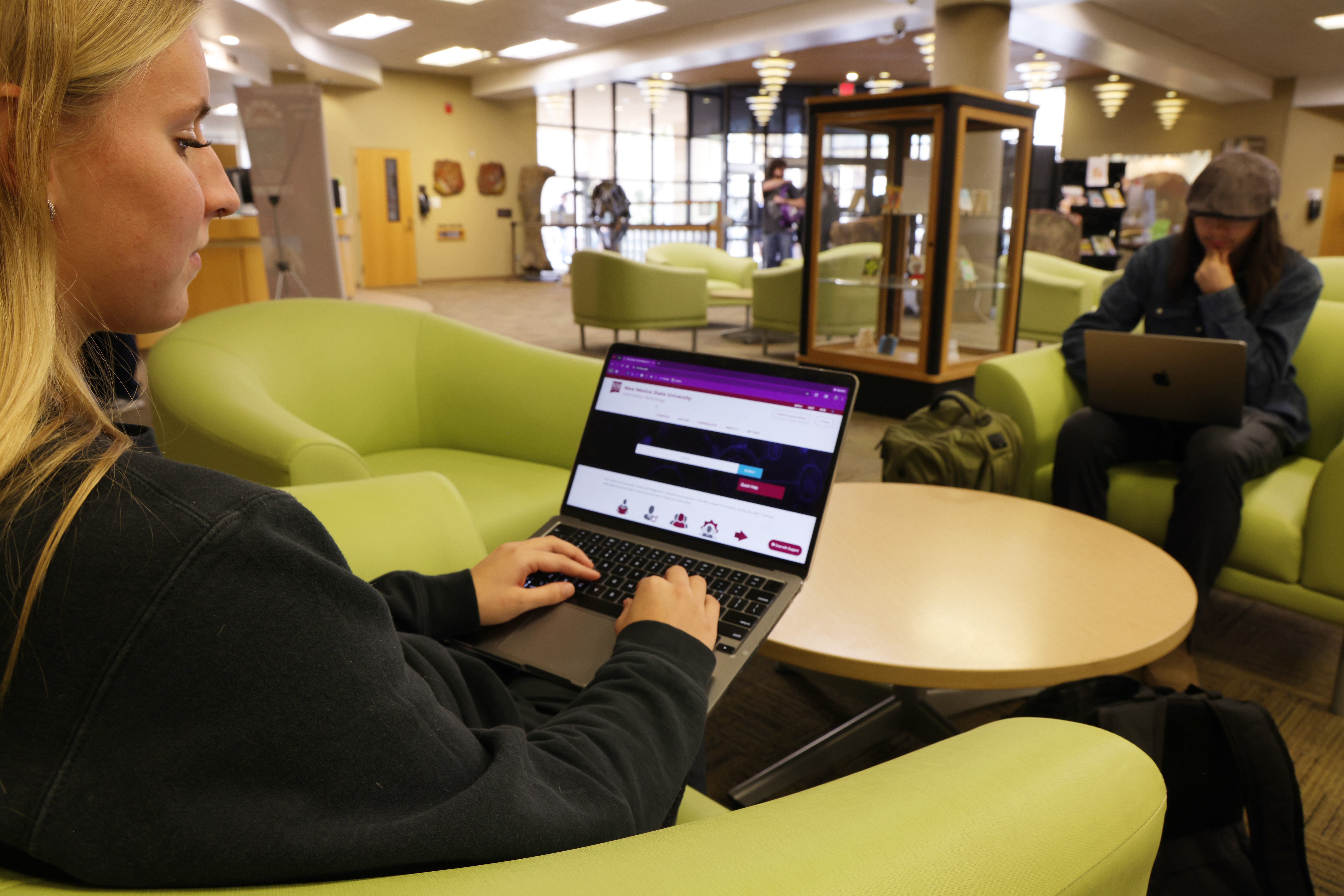
New Mexico State University Information Technology launched a new IT Website this Spring semester. The user-centered digital platform is designed to enhance the overall customer experience and serve as a welcoming first point of contact for the campus community. This launch represents a significant step forward in how IT delivers services and supports students, faculty, and staff.
More than a visual upgrade, the new IT Website reflects IT’s ongoing commitment to provide the best possible experience for the users. By prioritizing clarity, accessibility, and engagement, the site has been intentionally designed to help users find what they need, while reinforcing trust in the technology services that support the university’s mission.
For many users, the IT website is their first interaction with Information Technology. Recognizing the importance of that initial experience, IT leadership approached this redesign with a clear goal: create a pleasant, intuitive, and helpful digital front door.
“Our goal was to improve the end-user experience by providing a one-stop IT resource where users can quickly find what they need,” said Lizely Madrigal, EdD, director of University Technology Solutions and Support. “We are committed to delivering a service experience that respects our users’ time and supports their success.”
The new website is designed to reduce frustration, remove unnecessary complexity, and guide users toward solutions. Whether someone is visiting the site to resolve an issue, request a service, or learn about available tools, the experience is now more user-friendly.
How the new IT Website Improves Your Experience:
Simplifies navigation by reducing the number of clicks needed to reach key resources
Uses clean, plain language to describe services and support options
Organizes content around user needs rather than internal structures
Enhancing the User Experience
Enhancing the user experience was a central driver of the redesign. Over time, the previous IT web environment had grown dense and difficult to navigate, often requiring users to search across multiple pages or platforms to locate basic information.
The result is a site that feels easier to use and easier to understand, regardless of a user’s level of technical expertise.
“IT’s revamped website is excellent and user-friendly,” said Lourdes Alvarado-Salas, assistant dean of the College of Business. “It consolidates all essential information into an easy-to-navigate site, eliminating the need to search through multiple pages to find what you need.”
Empowering Users Through Self-Service
A major enhancement of the new IT Website is its expanded support forself-service. With more than 200 knowledge base articles, the site provides users with a robust library of guidance, troubleshooting tips, and step-by-step instructions. As part of this effort, IT curated and updated the knowledge base to ensure users have access to the most current and relevant information.
These resources are designed to help users resolve common issues on their own, learn how to use IT systems and tools effectively, and access support outside regular business hours.
By making knowledge easier to find and easier to understand, IT is empowering users to help themselves while ensuring that personalized support remains available when needed.
This self-service approach benefits the entire campus by improving efficiency, reducing wait times, and allowing IT staff to focus on more complex or high-impact support requests.
Strengthening Secure Support with Remote Access and Live Chat
The launch of the new IT Website also introduces enhanced capabilities to improve both access and security. Through the integration of BeyondTrust Remote Support, users can now connect with the Help Desk through live chat and receive secure remote assistance when needed.
The live chat feature, accessible directly from the IT Website, allows users to quickly connect with a Help Desk representative in real time. This provides a convenient way to ask questions, obtain guidance, and begin troubleshooting without the need for a phone call or in-person visit.
When additional support is required, Help Desk staff can, with the user’s permission, securely connect to a user’s device to diagnose and resolve issues remotely.
To access remote support, users can visitit.nmsu.edu and click on the “Chat with Support” button located in the lower right corner of the screen to initiate a secure remote support session when needed.
Stay Secure
Beware of Phishing Emails
New Mexico State University Information Technology has seen an increase in phishing emails this spring semester targeting members of our campus community.
These messages often appear to come from trusted sources and may pressure you to click a link, share personal information, or accept unexpected job offers. Taking a moment to pause and verify can help prevent your information from falling into the wrong hands.
Always Remember
Do not click on suspicious links or open unexpected attachments
Do not share personal, financial, or login information via email
NMSU will never request sensitive information through unsolicited emails or links
NMSU will never ask for your multi-factor authentication (MFA) code
If a message seems urgent, alarming, or too good to be true, it is likely a phishing attempt. Always be cautious with links and attachments, and verify a message before clicking by forwarding it to abuse@nmsu.edu.
By reporting suspicious emails, you help protect not only yourself, but the entire NMSU community. Staying alert keeps our campus secure.
Update Alert
IT Alerts and System Status
From Wi-Fi to Microsoft services to Canvas and other critical tools, this page shows whether services are fully operational, experiencing an issue, or undergoing scheduled maintenance – all in one central location.
In addition to real-time updates, the page also highlights planned maintenance and ongoing incidents, helping the campus community understand what is happening and when services are expected to be restored.
Before reporting an issue or spending time troubleshooting on your own, we recommend checking the IT Alerts and System Status page first. It is the fastest way to stay informed and ensure you have the latest information on the IT services you rely on every day.
Did you know there is a dedicated webpage where you can quickly check the status of campus technology services? The IT Alerts and System Status page provides students, faculty and staff with real-time updates on the availability of key systems used every day at NMSU.
Learning Hub
How to Choose the Best Wi-Fi at NMSU: Know the difference
New Mexico State University Information Technology offers multiple Wi-Fi networks designed to meet different connectivity needs. Understanding the differences helps ensure you stay connected in a safe and reliable way.
Aggie WiFiis the recommended network for students, faculty, and staff. It is the most secure option and delivers the fastest, most reliable performance across campus. By signing in with your NMSU credentials, you gain safe access that supports learning, teaching, research, and everyday productivity— whether you are in a classroom, office, residence hall, or common area.
Aggie Air is intended for devices that cannot prompt for a username and password. These are typically “headless” or smart devices such as printers, media players, or specialized equipment. These devices must be registered with the Help Desk before connecting. Aggie Air is not recommended for laptops, tablets, or phones used for daily academic or work activities.
Aggie Guest is reserved exclusively for campus visitors. This network provides temporary, low-speed internet access and automatically disconnects devices after a set period of time. It is not intended for regular or long-term use by the NMSU campus community. Students, faculty, and staff should use Aggie WiFi for a faster and reliable connection.
Eduroam is a is a secure, worldwide Wi-Fi service that allows students, faculty, and staff from participating institutions to connect to the internet using their home university credentials. eduroam is most useful when you are off campus or visiting another participating institution.
Activity Highlights
Inspiring the Next Generation of IT
NMSU Information Technology attended the 2026 New Mexico TSA Conference in February at the Las Cruces Convention Center, connecting with students to share insights about careers and services in technology and help inspire the next generation of IT professionals.
STAC Meets with IT to Share Student Voice
Members of the Student Technology Advisory Committee (STAC) recently met with NMSU Information Technology to share feedback and insights on student-focused technology initiatives. These conversations help ensure student perspectives continue to shape and improve the campus technology experience.
Sarah Rydecki and Wyatt ZieheFelix Silva and Jonathan Uvalle
Quick Bytes
Follow NMSU IT on Instagram
We are excited to announce the launch of our official Instagram account, NMSU IT (@NMSU.IT).
This new social media account is designed to keep Aggies informed and connected by sharing timely IT updates, service announcements, cybersecurity tips, and highlights of how we support students, faculty, and staff across campus.
WEPA Printing Made Easy
Printing just got more convenient across campus. WEPA printers have been relocated to high-traffic areas, including Gerald Thomas Hall and ECIII, to better serve students. You can also find printers at HJLC, Zuhl Library, and Corbett Center. These updates were made possible in collaboration with the Student Technology Advisory Committee (STAC) and NMSU IT.
Learn more about locations and services on the IT Aggie Print webpage.
Printers have been relocated to high-traffic areas, including Gerald Thomas Hall, ECIII, HJLC, Zuhl Library, and Corbett Center. Learn more on the IT Aggie Print webpage.